

Before you download
Which Xournal++ download should you choose?
For most Windows users, the AMD64 installer is the simplest option. It creates a normal desktop installation and is the best starting point when you want Xournal++ to appear in the Start menu. The portable AMD64 ZIP is useful when you want to keep the application in a folder, carry it between computers, or avoid a traditional installer. ARM64 builds are intended for compatible Windows devices and should not be selected simply because the computer is newer.
Linux has more than one sensible installation path. A Debian or Ubuntu package integrates with the system package layout, while an AppImage is convenient when you want one executable bundle. macOS is split between Apple Silicon and Intel DMG files. Choosing the wrong architecture can lead to a failed launch or an unnecessary compatibility layer, so check About This Mac before opening the file.
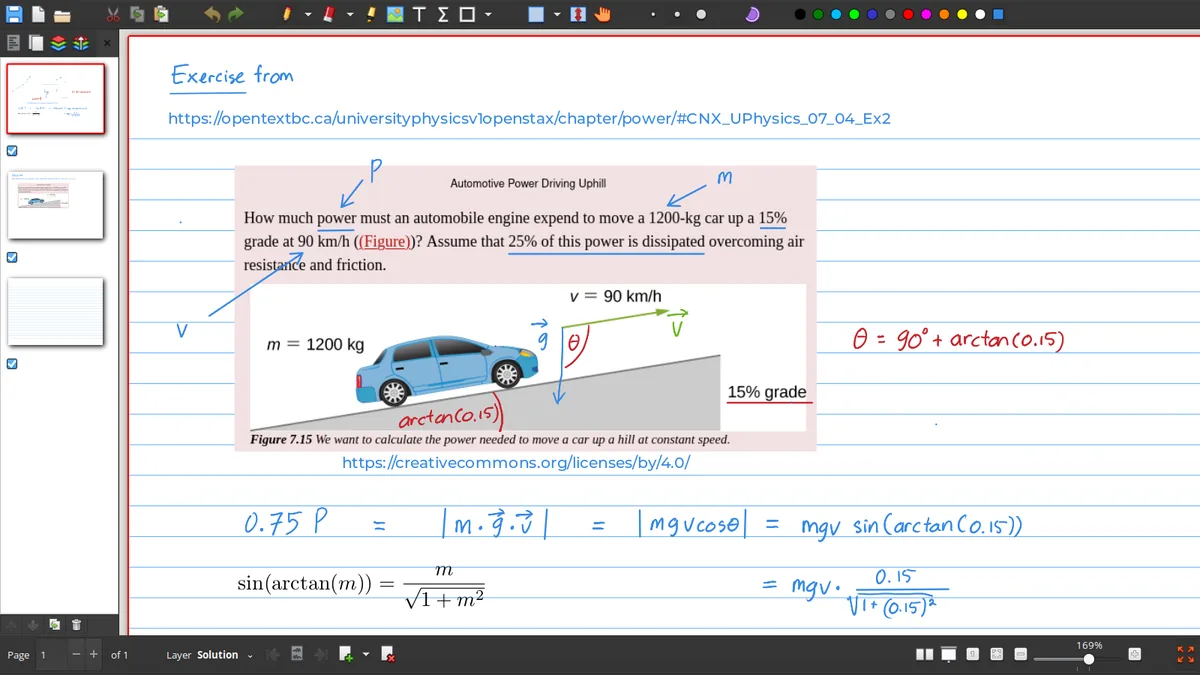
Xournal++ is a desktop application rather than a web download that runs inside this page. After installation, you can open a PDF, create a blank notebook, choose a paper template and save an editable .xopp file. This site links to the official project release rather than modifying or repacking the installer.
Quick comparison
Xournal++ download options
Use the file format and architecture as the deciding factors. File sizes below are the values recorded from the Xournal++ 1.3.7 release metadata.
| Platform | Recommended file | Use it when | Alternative |
|---|---|---|---|
| Windows | AMD64 setup EXE | You want a normal installation | Portable AMD64 ZIP |
| Windows ARM | ARM64 setup EXE | Your Windows device uses ARM64 | ARM64 portable ZIP |
| Ubuntu/Debian | Ubuntu .deb | You want a system package | x86_64 AppImage |
| Linux portable | x86_64 AppImage | You want a self-contained bundle | Distribution package |
| macOS Apple Silicon | ARM64 DMG | Your Mac uses an M-series chip | Official release page |
| macOS Intel | X64 DMG | Your Mac uses an Intel processor | Official release page |
Installation workflow
Install Xournal++ and make your first notebook
The first launch is easier if you separate the editable notebook from the exported document you send to someone else.
Select the platform
Choose a Windows, Linux or macOS card above and confirm the architecture before starting the download.
Install the build
Run the installer, open the package with your system tool, or unpack the portable ZIP into a folder you can write to.
Open a PDF
Use Xournal++ to import lecture slides, a worksheet or a form. You can also begin with a blank page template.
Save the source
Save the editable notebook as .xopp and export a separate PDF when you need a fixed copy for printing or sharing.
What happens next
Find the guide that matches your task
Download intent is only the first step. Many Xournal++ users arrive with a practical question immediately after installation: how to change the page to graph paper, how to make a PDF landscape, how to stop a mouse from drawing, or how to recover a notebook when the background PDF is missing. Use the Windows, Linux and macOS pages for platform-specific setup, then use the PDF, page settings, shortcuts, stylus and .xopp guides for the workflow itself.
If you are comparing Xournal with Xournal++, start with the original Xournal page before downloading anything. The older project may be relevant for a legacy file, but a new installation normally benefits from the current Xournal++ release channel.
Download decision guide
Make the Xournal++ download match your computer
The safest Xournal++ download decision starts with the operating system and processor, not with the smallest file on the release page. Windows users normally choose the AMD64 installer, while the portable ZIP is useful when the application must stay inside a folder. Linux users can compare a distribution package with an AppImage or Flatpak workflow. macOS users should check whether the Mac has Apple Silicon or an Intel processor before opening a DMG. These choices prevent a common installation error: downloading a valid file that targets a different architecture.
After the Xournal++ download finishes, compare the file name with the platform card, keep the installer or archive from the official release, and test the application with a small PDF. Save the editable notebook as an .xopp file before exporting a PDF. If a download button appears to offer a generic mirror, a modified package or an unrelated browser extension, return to the official release source. The page is designed to make the Xournal++ download path clear while leaving software maintenance with the original project.
Frequently asked questions
Xournal++ download questions
Where is the official Xournal++ download?
The platform buttons on this page point to the official Xournal++ GitHub release assets or the official release page. The release data shown here was checked on August 14, 2026.
Should I download the installer or portable ZIP on Windows?
Choose the installer for a normal desktop setup. Choose the portable ZIP when you need to keep Xournal++ in a folder or move it without a traditional installation.
Which Linux package is best?
Use a .deb when you want a Debian or Ubuntu system package. Use the AppImage when you prefer a self-contained bundle and understand that desktop integration may need an extra step.
Is Xournal++ the same as Xournal?
No. They are related projects, but Xournal++ is the modern application and Xournal is the older original project. See the comparison before choosing a legacy download.